00
Gifting Automation & Automated Rewards
Build the Relationship. Automate the Routine.
Recurring rewards for employees and customers. Connect business events, recipient choice and global delivery in one program built around your rules.


Connect a supported new-hire event from your HR system to the welcome-gift workflow. Configure the eligible audience and reward selection so each new intake can use the agreed process.
01
Reward Selection & Recipient Choice
Personal Rewards. Repeatable Programs.
Bring custom merchandise, physical gifts, digital gift cards and experiences into a planned reward selection. Let recipients choose from options suited to their location and your budget.


Set the reward options and budget for the program, then let the recipient choose within that range. Personal choice remains part of the experience even when the invitation workflow is automated.
Built for ongoing programs
Connected Systems. Global Reach.
5,000+
Platforms connectable via integration tools
195
Countries in Giftpack's global coverage
1,400+
Companies using Giftpack
98.62%
Reported Recipient Satisfaction




















- Define the Program
- Connect the Moment
- Offer the Choice
- Fulfill the Reward
- Review and Repeat
Business Events & Integrations
Your Systems. The Starting Signal.
Start with a schedule or a supported event in your CRM, HR or business tools. Connect it to the reward workflow that fits, rather than rebuilding each campaign manually.
- People & HR Systems
- Connect onboarding and anniversary workflows to supported HR events and schedules.
- Customer & Sales Systems
- Use CRM events for customer renewals, sales wins and other relationship milestones.
- Marketing & Recurring Programs
- Run event rewards and survey incentives through supported marketing actions, schedules or manual starts.
03
Eligibility, Budgets & Approvals
Automate the Steps. Keep the Decisions.
Define who qualifies, what they can receive and which steps need approval. Build the workflow around your budget and policies, with clear responsibility when something needs attention.


Distribute gifting budgets across workspaces for different teams or markets. Agree on each allocation before launch so teams can plan their campaigns around the resources assigned to them.
- Scope
- Configure
- Review
- Test
- Launch
04
Global Fulfillment & Program Visibility
From First Invitation to Final Delivery.
Connect recipient choice to fulfillment, then review available redemption and delivery status. Giftpack brings the reward supply and global execution into the program, not just the trigger.

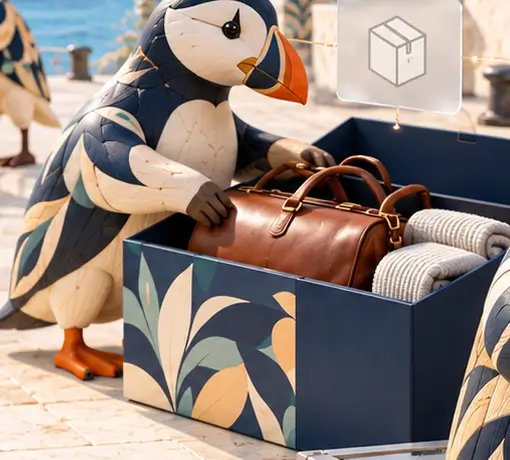
Review the redemption information available for the selected reward. Distinguish an invitation from a redemption and from physical delivery, rather than reading all three as the same outcome.
One Welcome. A Complete Journey.
Illustrative new-hire welcome, not a customer result or a universally available native feature.
Plan
Choose the audience, reward selection and destination. Allocate the budget to the relevant workspace.
Start
Use a supported HR event, agreed schedule or authorized manual action for the welcome workflow.
Review
Confirm eligibility, budget and any agreed human approval before committing the reward.
Choose
Let the recipient select an available physical or digital reward within the program.
Fulfill
Follow available redemption and delivery status. Sending an invitation is not the same as delivery.
Repeat
Consolidate gifting expenses and finance reports, then reuse the workflow for the next eligible occasion.
05
Start With One Occasion
Start With a Moment. Build What Follows.
Bring us the occasion, the audience and the work you repeat. We'll map the reward choices, operating rules and delivery approach for a program that can keep growing.


Connect a supported CRM sales-win event to the agreed reward workflow. Choose the audience and reward for that milestone so the team can acknowledge the win without rebuilding the campaign.